
Getting set up
Before you can copy an algo, you must sign in and grant PnL permission to place trades on your exchange account.
Sign in and approve.
Section titled “Sign in and approve.”- Sign inPress Connect. Use a wallet like MetaMask or Rabby, or email or Google. No wallet yet? One is made for you.
- Approve your exchangeThe first time you copy an algo, PnL walks you through setup for its exchange, Hyperliquid or Lighter.
Setup has five steps: confirm your wallet, verify it with a free signature, accept the terms, then Approve trading and Approve platform fees.
You need an account on that exchange already, on the same network. Mainnet and testnet, and each exchange, are set up separately.
Your money stays in your account.
Section titled “Your money stays in your account.”What PnL can doPlace and cancel orders and set leverage on your account.
What PnL can't doWithdraw. The exchange itself blocks it, so your money never leaves your account.
What that means for youPnL manages the whole account, so give it a separate one from your own trading.
If an approval runs out.
Section titled “If an approval runs out.”Trading approvalYour algos stop trading. Positions stay open until you approve again.
Fee approvalAlgos can reduce positions but not add to them until you approve again.
The app tells you when this happens. Approving again takes one signature.
Switching it off.
Section titled “Switching it off.”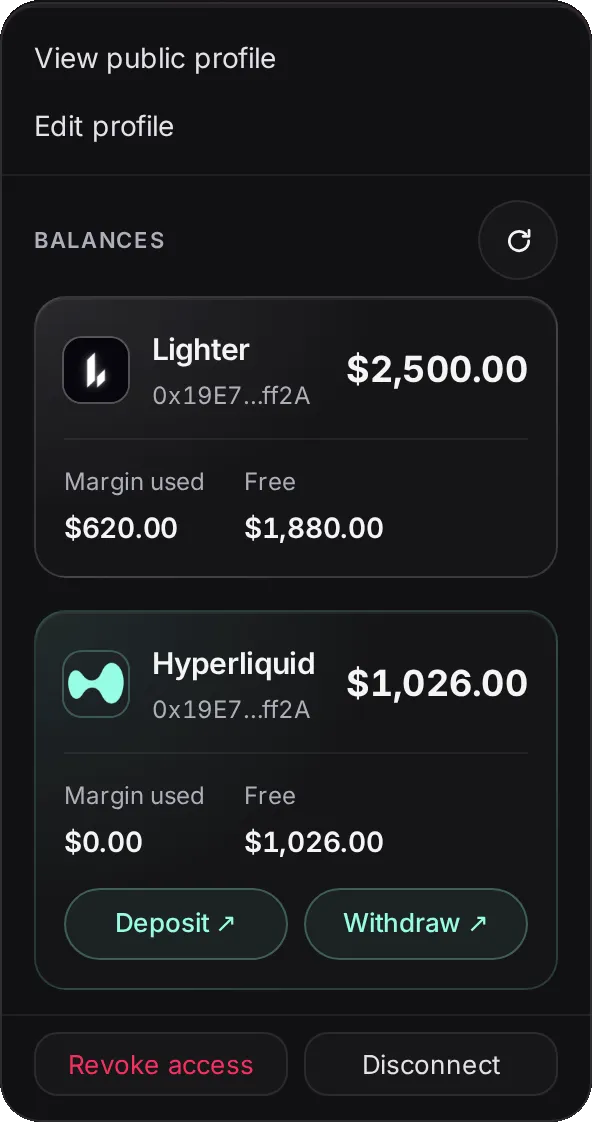
Open the wallet menu from your avatar, top right.
Disconnect Signs you out on this device. Your algos keep trading.
Revoke access Switches off PnL’s trading keys on every exchange for this network.
Neither one closes positions. To get out completely:
- Stop all algosOn your Portfolio. This closes their positions.
- Check the exchangeMake sure the positions and open orders are gone.
- Revoke accessThen remove PnL's API key and fee approval on the exchange too.